Build your first desktop app
In about twenty minutes you'll build a real to-do list app: a window with a text box, a button and a table, that remembers your tasks. It runs on Windows, macOS and Linux with the TB app.
1.Make a window
Save this as todo.tb in your TB folder and run it with tb todo.tb (on Windows you can also just double-click it). A window opens and waits until you close it.
Desktop code: save it as a .tb file and run it with the TB app.
import gui

let win = gui.window("To-do", {"width": 480, "height": 520})
win.label("Things to do", {"style": "title"})
win.run()
gui.window makes the window. Everything you add to it with win.label, win.button and friends appears top to bottom. win.run() shows it; it always comes last.
2.Add a text box and a button
A row puts things side by side. The button gets a function to call when it's clicked.
Desktop code: save it as a .tb file and run it with the TB app.
import gui

let win = gui.window("To-do", {"width": 480, "height": 520})
win.label("Things to do", {"style": "title"})

let row = win.row()
let box = row.input({"placeholder": "What needs doing?"})
row.button("Add", fn() {
  gui.alert(f"You typed: {box.value()}")
}, {"primary": true})

win.run()
box.value() reads what's in the text box. gui.alert pops up a little message.
3.Show the tasks in a table
Keep the tasks in a list of maps, and draw them in a table. Every time the list changes, show() redraws it.
Desktop code: save it as a .tb file and run it with the TB app.
let tasks = []
let list = win.table(["Done", "Task"])

fn show() {
  list.set_rows(tasks.map(fn(t) {
    if t.done { return ["✓", t.text] }
    return ["", t.text]
  }))
}

fn add(text) {
  if text.trim() == "" { return }
  tasks.push({"text": text.trim(), "done": false})
  box.clear()
  show()
}
Then point the button (and the Enter key) at add: row.button("Add", fn() { add(box.value()) }) and give the input {"on_enter": fn(text) { add(text) }}.
4.Tick tasks off and remember them
Double-clicking a row calls the table's on_open. Save the list with the json library after every change, in a file next to your program (fs.here finds that folder), and read it back when the app starts.
Here is the whole app:
Desktop code: save it as a .tb file and run it with the TB app.
import gui
import json
import fs

let FILE = fs.here("tasks.json")
let tasks = []
if fs.exists(FILE) {
  tasks = json.read(FILE)
}

let win = gui.window("To-do", {"width": 480, "height": 520})
win.label("Things to do", {"style": "title"})

let row = win.row()
let box = row.input({"placeholder": "What needs doing?", "on_enter": fn(text) { add(text) }})
row.button("Add", fn() { add(box.value()) }, {"primary": true})

let list = win.table(["Done", "Task"], {"on_open": fn(r, i) { toggle(i) }})
let status = win.status("")

fn show() {
  list.set_rows(tasks.map(fn(t) {
    if t.done { return ["✓", t.text] }
    return ["", t.text]
  }))
  let left = len(tasks.filter(fn(t) { return not t.done }))
  status.set(f"{left} to do")
}

fn add(text) {
  if text.trim() == "" { return }
  tasks.push({"text": text.trim(), "done": false})
  box.clear()
  json.write(FILE, tasks)
  show()
}

fn toggle(i) {
  tasks[i].done = not tasks[i].done
  json.write(FILE, tasks)
  show()
}

show()
win.run()5.Run it
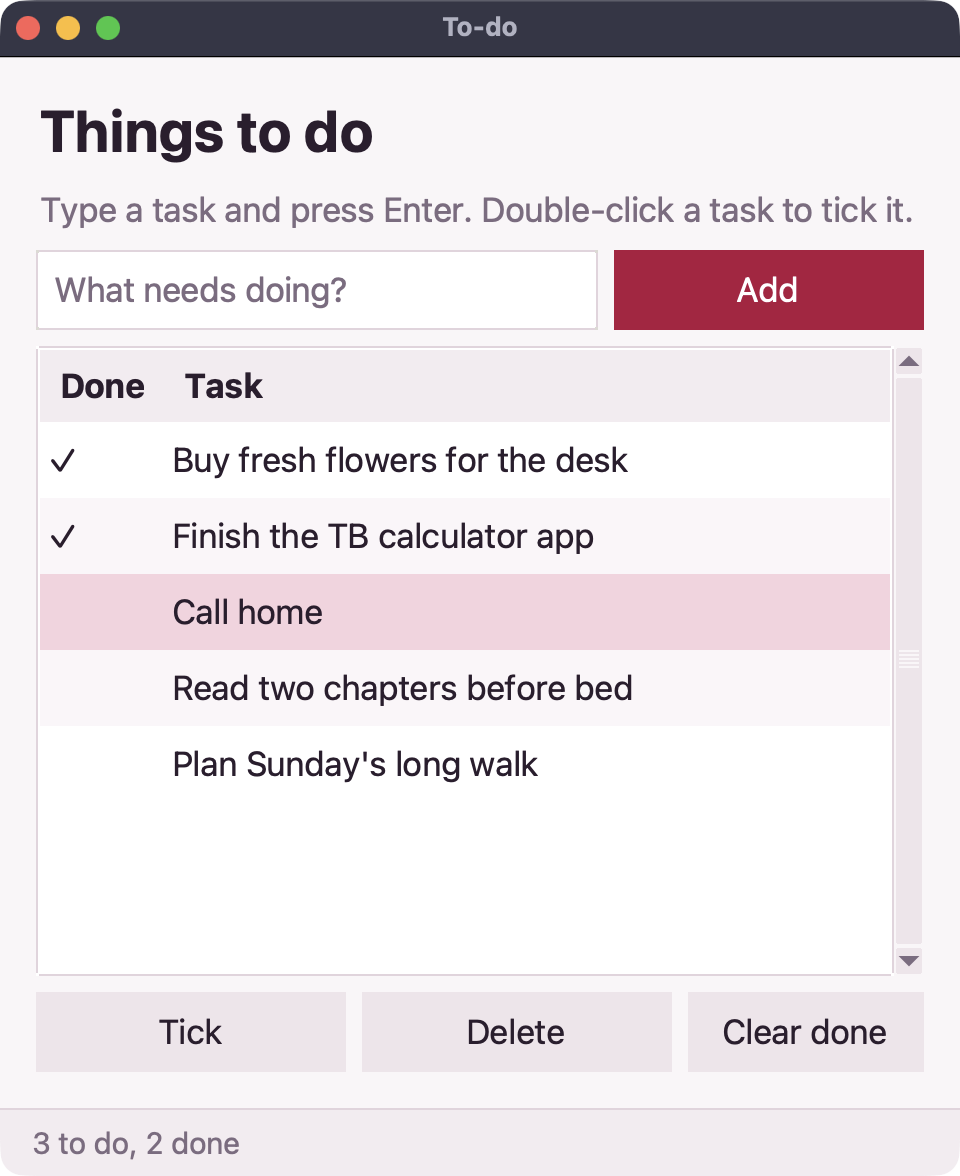
Run tb todo.tb. Add a few tasks, double-click one to tick it, close the window and open it again: your tasks are still there.
Where next
The full To-do app adds deleting and clearing. The gui reference lists every widget: menus, dialogs, timers, dark mode and keyboard shortcuts. For something bigger, read the Notes and Log triage apps.